Ungoverned
Personal AI accounts
Company information pasted into personal ChatGPT or Claude accounts nobody at work can see.
It leaves your control, with no record of where it went.
Your team is probably using more AI than anyone approved. We find it, write the rules, and monitor it every month.
See what the service includesWe look at what your team uses, what it can reach, and who gave it access. Here's where it usually turns up.

Company information pasted into personal ChatGPT or Claude accounts nobody at work can see.
It leaves your control, with no record of where it went.
Tools like Otter or Fireflies record calls under terms nobody read.
Sensitive conversations end up stored somewhere you don't control.
Add-ons that can read the pages you open, including email and your client records.
They keep that access long after anyone remembers installing them.
One click gives an app lasting access to a whole mailbox, drive, or client database.
Access to your whole Microsoft 365 account that nobody is tracking.
Someone hooks their own AI account into a spreadsheet or automation, and nobody reviews it.
It works, until they leave and nobody knows it exists.
Software you already approved adds a new AI feature and turns it on.
Nobody decided to use it. It just showed up.
We identify approved and unapproved AI tools through monitoring, account reviews, and conversations with your staff.
Folders shared with everyone, old accounts that still have access, and links anyone can open.
Many free and personal AI accounts can train on what your team types. Your company can’t see those accounts.
You get an inventory of the AI tools we identify and what’s shared too widely.
We fix the access problems in scope, then write simple rules so everyone knows what’s allowed.
It doesn’t break in. It reads whatever the person asking is allowed to open, so a folder shared with everyone is a folder it can answer from.
AI didn’t create the leak. It found it.
Example: a front desk coordinator asks Copilot what the salaries on the operations team are. Copilot answers with a summary from the payroll file, because the payroll folder is shared with everyone at the company.
We clean up SharePoint, OneDrive, and Teams so people, and the AI tools they use, only reach what their job needs.
Example: payroll goes from everyone to HR only, the public link on client contracts is turned off, board notes go from the whole company to the board only, and a former employee's access is removed.
Your team works in business AI accounts your company controls. They don’t train on your data, and you can close one the day someone leaves.
Example: the sales team's ChatGPT moves from personal accounts to a business account, training on what they type is turned off, your company can see the accounts, and the account of someone who left is closed.
Three short documents. Pick one to see a sample.
Which tools are approved, what information never goes into them, and who to ask.
Build your free policyAI Policy Builder · 12 questions · about 5 minutes

Riverside Services, Inc.
Artificial Intelligence Acceptable Use Policy
3. Approved AI tools
4. Information handling
Every AI tool you use, who owns it, how risky it is, and whether it's approved.
AI System Register
| System ID | AI system or feature | Business owner | Internal risk tier | Lifecycle status |
|---|---|---|---|---|
| AI-001 | ChatGPT Business | Operations lead | Low | Approved |
| AI-002 | Meeting notetaker | IT manager | Moderate | Pilot |
| AI-003 | Copilot in Outlook | IT manager | Moderate | Proposed |
| AI-004 | Personal AI accounts | HR director | High | Rejected |
Noventech • AI Governance
AI Tool Approval Request
6Review and decision
We build all three with you during the one-time setup. See what's included
New AI tools show up all the time. Each month we check what changed and send you a report.
Personal details, ID numbers and passwords are stripped from prompts before they reach an AI tool, risky tools can be limited to no uploads or no sensitive data, and every warning and block is reviewed monthly. With the Microsoft 365 add-on, we also stop sensitive files leaving by email or shared links.
Example: an email to a personal Gmail address with the client list attached is stopped, because the file contains 214 Social Security numbers.
We catch new AI tools and features, and bring you anything that needs a decision.
Example: a meeting notetaker found on client calls is limited to internal meetings, an old CRM connection still reading a mailbox is removed, and Copilot for the sales group is waiting on your decision.
What we found, what we did, and anything waiting on you.
This month: 2 new AI tools found, 2 policy findings, 5 access grants reviewed, and 1 decision waiting on you.
| Finding | Action taken | Status |
|---|---|---|
| Information going where it shouldn'tCustomer list uploaded to a personal ChatGPT account | Flagged to the sales manager; account restricted; team reminder sent | Closed |
| AI arriving without approvalMeeting notetaker joining external client calls | Reviewed; limited to internal meetings in the tools list | Closed |
| Permissions nobody re-checkedOld CRM connection still reading a shared mailbox | Access removed; connection taken off the tools list | Closed |
| AI arriving without approvalCopilot switched on for the new sales group | Rules for what it can see proposed; waiting on the operations lead | Open |
Sample report for a made-up company. The monthly service also includes a quarterly review and a yearly reassessment.
A policy only works if people follow it. We keep training short and use examples from your team's own work.
Finance, HR, and the front desk each get examples from their own work.
People can ask for a new tool or report a mistake without getting in trouble.
What to use, what never goes in, and who to ask. Every employee gets one.
Two parts: a one-time setup (steps 1 and 2), then a monthly service (steps 3 and 4).*
1. Find what's in use
2. Write the rules
Add-on: Microsoft 365 data protection
Ends with staff training, a summary for leadership, and a plan for what’s next.
See everything included3. Monitor it
4. Train your team
Includes a monthly report, a quarterly review, and a yearly reassessment.
See everything included* This service isn’t legal advice or a certification.
Thirty minutes with Vince. Leave knowing where you stand and what to do first.
A confidential conversation, direct with a Noventech advisor.
Not ready to talk? Get the free handbook, build your free AI policy, or browse our free tools.
Microsoft 365 data protection is an add-on with its own fee: oversharing fixes in SharePoint, Teams and OneDrive, sensitivity labels, and data-loss rules for email and shared files. Larger migrations, complex vendor or legal reviews, and deep Microsoft 365 remediation are scoped separately.
Low exposure so far
Your AI Risk Indicator will move as you answer the questions.
Before you start
Free handbook · PDF
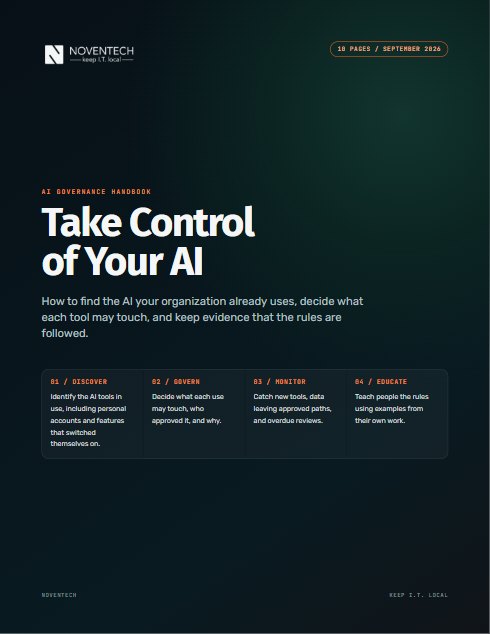
Which AI tools can already reach your files, and who approved them? This handbook shows you how to find out, then what to do next.
It's on its way
Your handbook is downloading.Start with page 2: it maps all twelve steps on one page. We also emailed you the link.
Download didn't start? Get the PDF here.
Want a second set of eyes on your first 90 days?
Book a call