Start with the document or decision in front of you.
Build a starter AI policy, see if a task is worth automating, or put simple AI rules in place. Everything here is free, and you don’t need to book a call to use it.
A simple form staff fill out before using a new AI tool: what it is, why they need it, and what information it would touch.
Includes
Employee request fields
Data and integration disclosure
Reviewer decision and conditions section
Printable and editable formats
Also available:
UpdatesEMAIL
Actually Useful AI
Occasional guidance for organizations trying to use AI without losing track of their data, vendors or responsibilities. No hype, and nothing you have to sit through.
UpdatesLIBRARY
Skills Library
A curated library of AI agent skills from Noventech.
The curated skills library is being prepared for public release.
Look at the type of account, what it does with your data, what it can reach, and what you plan to use it for, not just the product name. These examples show what to check before approving a tool for work.
Reviewed September 2026. Plans and terms change often, so confirm current terms before approving.
1
Not all tools, or even tiers within the same tool, are created equal.
A personal account drafting a public outline is different from a business or enterprise plan connected to email, customer records, or source code, even under the same product name. Approve the specific use, plan tier, and configuration, not just a company name.
ChatGPT (OpenAI)
Review settings
General-purpose generative AI for drafting, analysis, ideation, and coding assistance.
Key considerations
Data training: Free, Plus, and Pro chats may be used for training unless each user opts out. Business, Enterprise, and API data is not used for training by default.
Account type matters: Free, Plus, Pro, Business, and Enterprise each come with different data handling and admin controls.
HIPAA: A Business Associate Agreement (BAA) is available only for sales-managed Enterprise, Edu, ChatGPT for Healthcare, and the API. Business, Plus, and Free are not eligible.
Never enter: Passwords, full customer records, proprietary source code, or confidential client data.
Best for: Brainstorming, general writing support, learning, and coding help.
When to use
Internal drafting, ideation, general research
Biggest risk
Work data entered into personal Free, Plus, or Pro accounts
Microsoft 365 Copilot (Microsoft)
Review access
Built into Microsoft 365 (Word, Excel, Teams, Outlook). Operates within your Microsoft environment.
Key considerations
Data boundary: Runs under your Microsoft 365 terms, but some features use subprocessors such as Anthropic, which are on by default in most U.S. tenants. Review the admin setting.
Licensing: Copilot Chat is included with Microsoft 365 business plans. Full Microsoft 365 Copilot is a paid add-on or bundle. Consumer Copilot comes with Microsoft 365 Personal, Family, and Premium.
HIPAA: Microsoft's BAA covers Microsoft 365 business customers through the Product Terms.
Best for: Document editing, email composition, meeting summaries, spreadsheet analysis.
Personal Microsoft 365 or Copilot consumer accounts used with company data
Claude (Anthropic)
Review settings
Generative AI for long-document analysis, writing, and coding. Available on the web, in desktop apps, in Team and Enterprise plans, and through the API.
Key considerations
Data training: Free, Pro, and Max chats may be used for training unless the user opts out. Team, Enterprise, and API data is not used for training by default.
Long context: Well suited to long documents, contracts, or detailed policy reviews.
HIPAA: A BAA is available only for the Claude API and sales-assisted Enterprise plans, and must be activated. The Team plan is not covered.
Best for: Legal/compliance review, detailed analysis, technical documentation.
When to use
Analysis of detailed documents, policy review, coding assistance
Biggest risk
Misplaced confidence in accuracy. Always verify outputs.
Gemini (Google)
Review access
Google's generative AI, integrated into Google Workspace (Docs, Sheets, Gmail) and available standalone.
Key considerations
Workspace integration: Gemini in Workspace has different data handling than standalone Gemini.
Personal Google accounts: Consumer Gemini with work data is risky. Data may be used for training, and it is not covered by Google's BAA.
HIPAA: Gemini in Google Workspace is covered by Google's BAA on eligible plans once the BAA is accepted.
Best for: Document drafting in Google Workspace, email composition, spreadsheet analysis.
When to use
Google Workspace-native workflows if properly licensed
Biggest risk
Personal Google accounts mixing work and consumer data
Create custom images, graphics, and visual content from text descriptions.
Key considerations
IP ownership: Who owns the generated image? Each tool has different terms.
Training data: Check whether your prompts or outputs are used to improve the tool.
Commercial use: Terms vary by plan and company size. For example, Midjourney requires a Pro or Mega plan for companies with more than $1M in annual revenue.
Best for: Social media graphics, internal presentations, marketing collateral (with proper licensing).
When to use
Creating custom graphics for approved uses
Biggest risk
Unclear IP ownership or using images without commercial rights
Before you approve any tool, answer these five questions.
What data does it touch? Customer info, financial data, health records, employee info, or proprietary material?
How is data handled? Is it encrypted? Retained? Used for training? Does the vendor have a BAA or SOC 2?
Who can access it? All staff, specific roles, or just one person? What approvals or oversight are in place?
What integrations does it create? Does it connect to other systems? What permissions does it request?
Can we get our data back? If we stop using the tool, can we export data? How long does it take?
A practical boundary. These resources help you organize the work. They are not legal advice or certification. AI laws, regulatory guidance, vendor terms, and technical capabilities change, so confirm legal obligations with qualified counsel.
Starter policy builder
Build your starter AI policy
AI Risk IndicatorLive
Low exposureso far
LowContained
Worth a lookSome gaps
Needs reviewAct soon
Your AI Risk Indicator will move as you answer the questions.
Before you start
Automation potential checker
Is this repetitive task worth automating?
Describe one task and answer five questions about its frequency, consistency, judgment, systems, and time cost. You get an initial estimate immediately, and no email is required to see it.
Your estimate
0 / 100
Task assessed
What could be automated?
This is an initial estimate only. Actual automation feasibility depends on the systems involved, available integrations, data requirements, security considerations, and business rules.
Want us to take a closer look?
Tell us a little about the process and Noventech can help determine what can be automated, what should stay human-reviewed, and what technology may be the best fit.
10pages
12steps
90day plan
Free handbook · PDF
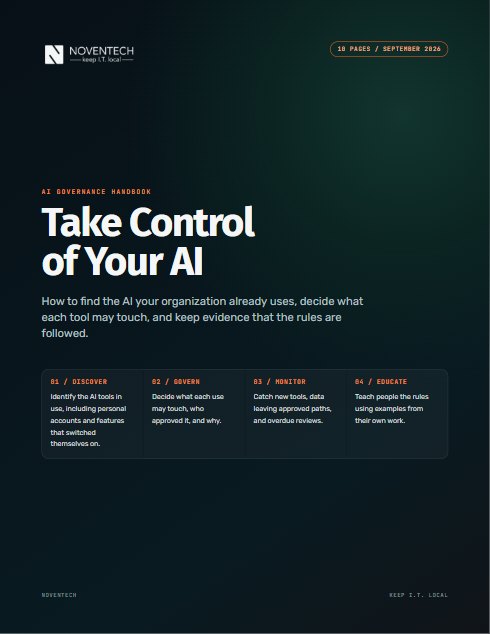
Take Control of Your AI
Which AI tools can already reach your files, and who approved them? This handbook shows you how to find out, then what to do next.
The 12 steps to find, approve, and monitor the AI tools in use
Starting boundaries for ten types of data, from public to credentials
An Illinois applicability screen and a 90-day plan
By Vince Davis, AI Solutions Architect · Vince has presented on AI governance to public-sector audiences across Illinois
It's on its way
Your handbook is downloading.
Start with page 2: it maps all twelve steps on one page. We also emailed you the link.

 Automation